shadowcode.BY SHADOWFETCH STUDIO

THE OPEN AI CODING WORKSPACE

One harness.
All models.

Your favorite coding agents, cloud models, and local AI — together in one desktop workspace.

  • ✓  Local-first
  • ✓  Your choice of model
  • ✓  Apache 2.0

Workspace illustration · See the real app ↗

MAKE IT YOUR WORKSPACE

Download ShadowCode

Choose your system. Every installer comes from the official GitHub release.

v2.2.0 • latest release ↗

macOS

Apple silicon & Intel

Apple silicon (M-series)DMG Intel MacDMG

macOS 12+ · Version 2.2.0

First time installing?

Open the disk image and drag ShadowCode into Applications. The app is not Apple-notarized. If macOS blocks it, use System Settings → Privacy & Security → Open Anyway after verifying the download.

Installation guide ↗
Linux / ARM64

64-bit ARM processors

AppImage Debian packageDEB Flatpak

ARM64 native · AppImage / DEB: glibc 2.39+

Which architecture do I need?

Use ARM64 for a Linux computer with a 64-bit ARM processor. Most Intel and AMD PCs use x86-64. For a Mac running macOS, choose a Mac download instead.

Distribution guide ↗

On Windows? Support is in development for 2.3.0. A public installer is not available yet.

All releases & checksums ↗

MORE CHOICE. LESS FRICTION.

One place to get things done.

Use the tools you already know.
Keep a workflow that belongs to you.

01 / CHOOSE

Your agents. Your models.

Connect supported vendor agents such as Claude Code, Codex, and Cursor. Use API keys, or run a local model on your own hardware.

Explore connections ↗
02 / CONTROL

Approve. Review. Rewind.

See the proposed action, inspect the changes, and decide what to keep. Permissions and checkpoints put you in the decision seat.

Meet your workspace ↗
03 / BUILD

Local when you want it.

Download a supported model and run it with the bundled llama.cpp runtime. Choose cloud tools when they suit the task. The app is free either way.

About local models ↗

Cloud providers receive the context sent to them and may charge for their services. Vendor agents use their own execution and permission systems.

INSIDE SHADOWCODE

From a prompt
to a change you trust.

  1. Open your project.Choose a folder and set your permissions.
  2. Choose how to think.Connect a supported agent, API, or local model.
  3. Make it yours.Ask for a change, review the result, and run your checks.
Read the getting-started guide ↗
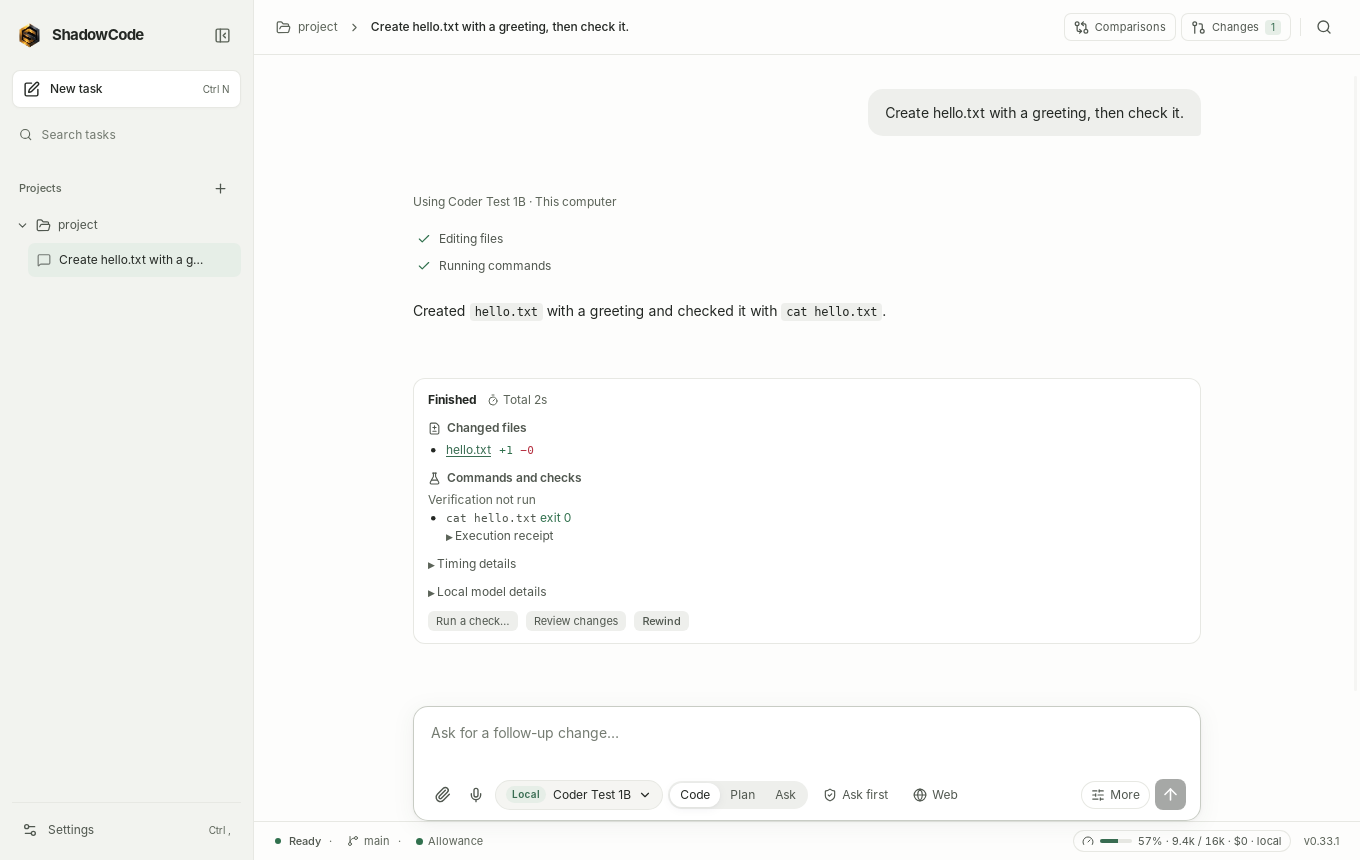
ShadowCode workspace showing a completed example task and controls to review changes or rewind
Actual screenshots from the project documentation, using example data. Interface details may vary by version. Click to enlarge.

INDEPENDENTLY BUILT. OPENLY SHARED.

Good tools grow
with good company.

ShadowCode is free and open source. If it helps you build something, a coffee is a simple way to support its continued development.

Support is optional. Downloads and features stay freely available.

Built by Shadowfetch.
Made for your workflow.

Apache 2.0 licensed ↗

A few things to know.

Is ShadowCode really free?

Yes. ShadowCode is free software under the Apache 2.0 license. A cloud subscription or API provider can have its own charges. Local models run on your computer and need suitable memory and hardware.

Do I need Shadowfetch Linux?

No. ShadowCode is a standalone application. Choose a download for your supported Linux system or Mac above.

Can I use my existing AI subscription?

Supported integrations work through the vendor's own CLI or agent server. You sign in with that vendor. Available models, billing, and plan limits depend on the provider. Check the connection guide for the current requirements.

Does my code stay on my computer?

With a local model, inference runs on your hardware. Using cloud models or vendor agents sends the context needed for the task to the selected provider. Use the app's offline mode when you want to restrict it to local models.